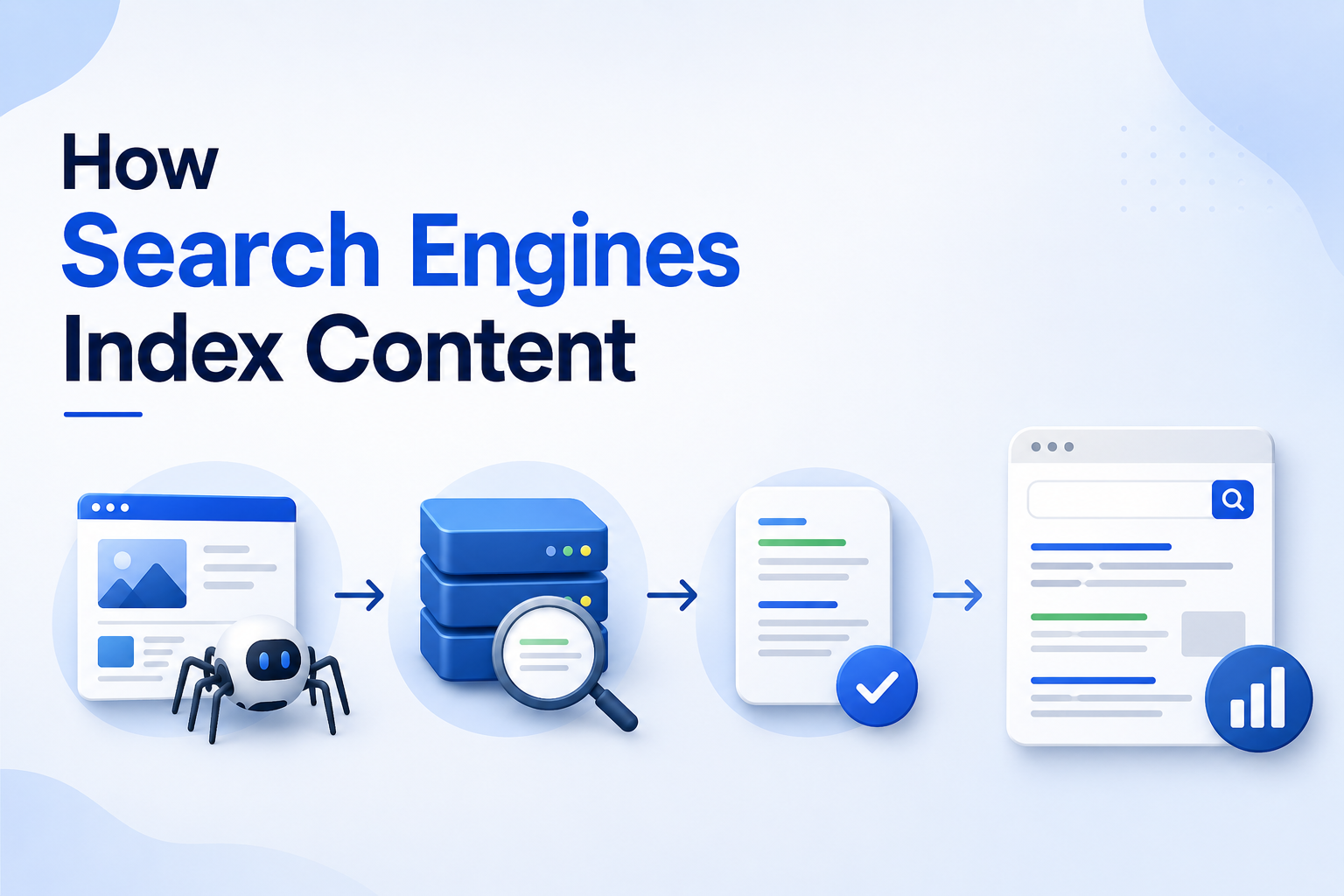
Search engines help people find information on the internet. When someone searches for a word, question, product, service, or topic, search engines show a list of useful web pages. But these results do not appear by magic. Search engines first need to discover, read, understand, store, and organize web pages before they can show them to users.
This process is called indexing.
Indexing is one of the most important parts of search engine optimization, also known as SEO. If a page is not indexed, it usually cannot appear in search results. This means even a well-written page may get no search traffic if search engines do not index it properly.
In this article, we will explain how search engines index content in simple words, why indexing matters, and how website owners can improve their chances of getting pages indexed.
What Is Search Engine Indexing?
Search engine indexing is the process of storing and organizing web pages in a search engine’s database. When a search engine finds a page, it studies the content, images, links, structure, and other signals. Then it decides whether the page should be added to its index.
Think of the index like a huge digital library. Every indexed page is like a book stored in that library. When a user searches for something, the search engine does not scan the entire internet in real time. Instead, it searches its own index and shows the most relevant results.
If your page is not in the index, it is like a book that never reached the library shelf. People may still visit the page directly if they know the URL, but they are unlikely to find it through search.
The Three Main Steps: Crawling, Indexing, And Ranking
Search engines usually follow three main steps before showing results.
The first step is crawling. This means search engine bots visit websites and discover pages.
The second step is indexing. This means the search engine reads and stores information about the page.
The third step is ranking. This means the search engine decides where the page should appear in search results for different searches.
These three steps work together. A page must usually be crawled before it can be indexed. A page must be indexed before it can rank.
Step 1: Crawling
Crawling is the discovery process. Search engines use automated programs called crawlers, spiders, or bots. Google’s crawler is called Googlebot.
These bots move across the web by following links from one page to another. They also use sitemaps, previously known URLs, and submitted URLs to find new or updated content.
For example, if your homepage links to a new blog post, a search engine bot may follow that link and discover the blog post. If your sitemap includes the new blog URL, the bot may also find it through the sitemap.
Crawling does not mean a page will automatically be indexed. It only means the search engine has found and visited the page.
Step 2: Rendering
Modern web pages often use JavaScript, images, videos, scripts, and dynamic content. Because of this, search engines may need to render a page before fully understanding it.
Rendering means the search engine tries to load the page like a browser would. It checks what users can see after the page loads.
This is important because some content may not appear in the basic HTML. If important text, links, or images load only through JavaScript, search engines may need extra time or resources to process them.
If a page is difficult to render, search engines may miss important content. That is why websites should make key content easy to access in the page source or server-rendered HTML whenever possible.
Step 3: Understanding The Content
After discovering and rendering a page, the search engine tries to understand what the page is about.
It looks at many elements, such as:
- Page title
- Meta description
- Headings
- Main body content
- Images and alt text
- Internal links
- External links
- Structured data
- URL structure
- Page layout
- Language
- Topic relevance
The search engine uses this information to understand the purpose of the page. Is it a blog article? A product page? A service page? A news article? A location page? A login page?
The clearer your content is, the easier it is for search engines to understand and index it correctly.
Step 4: Storing The Page In The Index
If the search engine decides the page is useful and allowed to be indexed, it stores the page in its index.
The index does not simply store the page as a full copy. It stores important information about the page, including keywords, topics, freshness, links, media, quality signals, and other data.
This helps the search engine quickly match pages with user searches.
For example, if your article is about “how to clean leather shoes,” the search engine may store signals that connect your page with shoe cleaning, leather care, footwear maintenance, and related searches.
Step 5: Ranking The Indexed Page
Once a page is indexed, it becomes eligible to appear in search results. But indexing does not guarantee high rankings.
Ranking depends on many factors, such as relevance, content quality, backlinks, user experience, page speed, mobile friendliness, freshness, authority, and search intent.
A page may be indexed but still appear on page five or page ten of search results. To rank higher, the page must be useful, trustworthy, and better aligned with what users are searching for.
Why Indexing Matters For SEO
Indexing is important because search visibility starts with being included in the search engine’s database. If your pages are not indexed, they cannot bring organic traffic from search.
For businesses, this can affect leads, sales, brand visibility, and customer trust. For bloggers, it can reduce readership. For ecommerce websites, it can stop product pages from appearing in search results.
Good indexing helps search engines find your important pages and ignore pages that do not need to appear in search.
What Types Of Pages Should Be Indexed?
Not every page on a website needs to be indexed. Search engines prefer useful pages that provide value to users.
Pages that should usually be indexed include:
- Homepage
- Main service pages
- Product pages
- Category pages
- Helpful blog posts
- Location pages
- Case studies
- Guides
- Important landing pages
- Company information pages
These pages help users understand your business, products, services, or expertise.
What Types Of Pages Should Not Be Indexed?
Some pages may exist on your website but should not appear in search results.
These may include:
- Thank-you pages
- Login pages
- Admin pages
- Internal search result pages
- Duplicate pages
- Thin content pages
- Test pages
- Staging pages
- Filter pages with little value
- Private landing pages
- Outdated campaign pages
For these pages, website owners often use a noindex tag to tell search engines not to include them in search results.
Important Factors
| Factor | How It Affects Indexing |
|---|---|
| Internal links | Help crawlers discover pages |
| XML sitemap | Lists important URLs for search engines |
| Robots.txt | Controls crawler access |
| Noindex tag | Tells search engines not to index a page |
| Content quality | Helps search engines decide page value |
| Duplicate content | May reduce indexing priority |
| Page speed | Helps bots crawl efficiently |
| Mobile usability | Supports better search visibility |
How Search Engines Discover New Content
Search engines discover new content in several ways.
One common method is internal linking. If your new page is linked from your homepage, blog page, or category page, crawlers can find it more easily.
Another method is XML sitemaps. A sitemap is a file that lists important URLs on your website. It helps search engines understand which pages you want them to discover.
Search engines can also discover pages from external links. If another website links to your page, crawlers may follow that link and find your content.
You can also submit URLs through tools like Google Search Console. This does not guarantee indexing, but it can help search engines discover the page faster.
What Is Crawl Budget?
Crawl budget means the amount of time and resources a search engine bot spends crawling your website.
For small websites, crawl budget is usually not a major issue. But for large websites with thousands or millions of pages, crawl budget becomes important.
If search engines spend too much time crawling low-value pages, they may not crawl important pages often enough.
To improve crawl efficiency, website owners should remove unnecessary pages, fix broken links, avoid duplicate pages, improve site speed, and use proper internal linking.
Why Some Pages Do Not Get Indexed
Sometimes, a page may be crawled but not indexed. This can happen for many reasons.
Common reasons include:
- The page has a noindex tag
- The page is blocked by robots.txt
- The content is too thin
- The content is duplicate
- The page has poor quality
- The page has no internal links
- The page loads too slowly
- The page has server errors
- The page redirects incorrectly
- The page is not mobile friendly
- The page is not useful enough
Search engines want to index pages that provide value. If a page looks weak, repetitive, or unnecessary, it may be excluded.
Difference Between Crawled And Indexed
Crawled and indexed are not the same.
A crawled page means the search engine has visited the page. An indexed page means the search engine has stored the page and may show it in search results.
A page can be crawled but not indexed. This usually means the search engine found the page but decided not to include it in search results.
This is why website owners should not only focus on getting pages crawled. They should also make sure the content is valuable enough to be indexed.
How To Check If A Page Is Indexed
There are a few simple ways to check if a page is indexed.
You can search Google using:
site:yourdomain.com/page-url
If the page appears, it may be indexed.
You can also use Google Search Console’s URL Inspection tool. This tool shows whether Google knows the URL, whether it is indexed, and if there are any problems.
Google Search Console is one of the best tools for checking indexing issues because it gives direct information from Google.
How To Help Search Engines Index Your Content
To improve indexing, make your important pages easy to find, easy to crawl, and useful to users.
Here are some best practices:
- Create high-quality original content
- Use clear page titles and headings
- Add internal links to important pages
- Submit an XML sitemap
- Avoid duplicate content
- Fix broken links
- Improve page loading speed
- Make your website mobile friendly
- Avoid blocking important pages
- Use noindex only where needed
- Keep content updated
- Use structured data where useful
These steps help search engines understand your website better.
Role Of Internal Linking In Indexing
Internal links are links from one page of your website to another page on the same website. They are very important for indexing.
If a page has no internal links pointing to it, search engines may have trouble finding it. Such pages are often called orphan pages.
For example, if you publish a blog post but do not link to it from your blog page, category page, or related articles, crawlers may not discover it easily.
Good internal linking helps search engines understand which pages are important. Pages with more internal links often appear more valuable.
Role Of Sitemaps In Indexing
An XML sitemap helps search engines find important pages on your website. It is especially useful for large websites, new websites, ecommerce websites, and websites with deep page structures.
A sitemap should include important indexable URLs. It should not include blocked pages, noindex pages, broken URLs, or redirected URLs.
Submitting your sitemap in Google Search Console can help Google discover your pages more efficiently.
Role Of Content Quality In Indexing
Search engines do not want to index every low-value page on the internet. They want to show useful results to users.
Content quality plays a major role in indexing. A page with original, helpful, well-structured content has a better chance of being indexed than a page with copied, thin, or confusing content.
Good content should answer user questions clearly. It should be easy to read, accurate, and relevant to the topic.
If many pages on a website have very similar content, search engines may choose only one version to index.
Indexing And Duplicate Content
Duplicate content means the same or very similar content appears on multiple URLs. This can confuse search engines.
For example, an ecommerce website may create multiple URLs for the same product because of filters, sorting options, or tracking parameters.
When search engines find duplicate pages, they may choose one version as the main page and ignore the others.
To manage duplicate content, website owners can use canonical tags, proper redirects, clean URL structures, and noindex tags where needed.
Indexing And Fresh Content
Search engines often revisit websites to find updates. Fresh content can help show that your website is active and useful.
Updating old articles, adding new information, improving outdated sections, and fixing broken links can encourage search engines to recrawl and reassess your pages.
However, freshness does not mean changing content for no reason. Updates should improve the value of the page.
Common Indexing Mistakes
Many website owners make indexing mistakes without realizing it.
Common mistakes include:
- Accidentally adding noindex to important pages
- Blocking important pages in robots.txt
- Publishing thin content
- Forgetting to submit a sitemap
- Having too many duplicate URLs
- Poor internal linking
- Slow page speed
- Broken canonical tags
- Redirect chains
- Orphan pages
- Leaving staging pages open to search engines
Regular SEO checks can help find and fix these problems.
FAQs
1. What does it mean when a page is indexed?
It means the search engine has stored the page in its database and may show it in search results when relevant.
2. Can a page rank without being indexed?
No. A page usually needs to be indexed before it can appear and rank in search results.
3. How long does indexing take?
Indexing can take a few hours, a few days, or longer. It depends on website authority, crawl frequency, content quality, and technical setup.
4. Why is my page crawled but not indexed?
This may happen if the page is low quality, duplicate, blocked, noindexed, slow, or not useful enough for search results.
5. How can I get my page indexed faster?
Add internal links, submit the URL in Google Search Console, include it in your sitemap, improve content quality, and make sure the page is not blocked or noindexed.
Final Thoughts
Search engine indexing is the process that allows web pages to appear in search results. Before a page can rank, it must be discovered, crawled, understood, and stored in the search engine’s index.
For website owners, indexing is the foundation of SEO. If your important pages are not indexed, they cannot bring organic traffic. That is why it is important to create useful content, use clear site structure, submit sitemaps, build internal links, avoid technical errors, and keep low-value pages out of the index.
A strong indexing strategy helps search engines focus on your best pages. When search engines can easily understand and store your content, your website has a better chance of appearing in front of the right audience.
Leave a Reply